Enter your course grades and credit hours to estimate your GPA.
GPA scale
Current courses
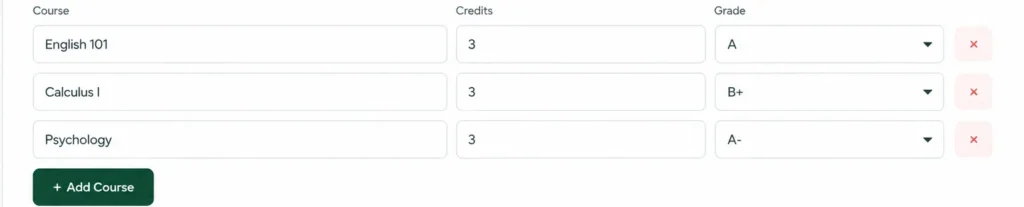
Course
Credits
Grade
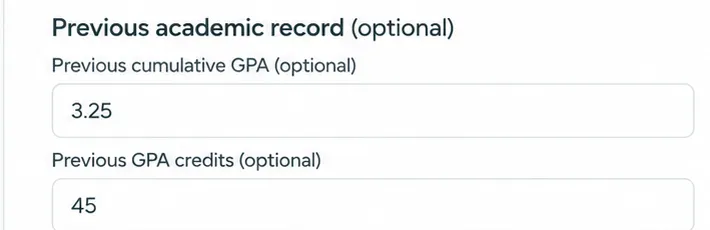
Previous academic record (optional)
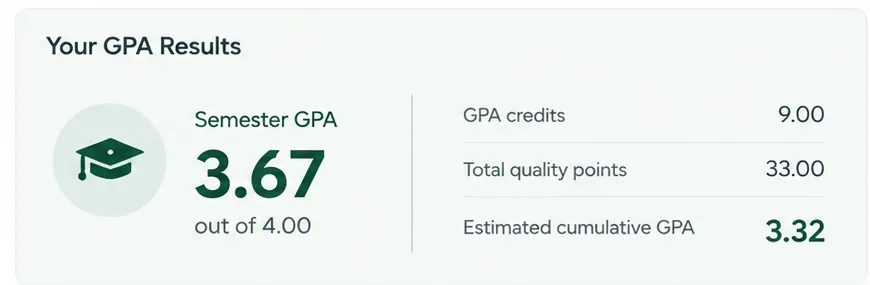
Calculated GPA
0.00 / 4.00
GPA credits0.00
Quality points0.00
Independent educational estimate; not an official university or application-service calculation. Check institutional policies before using results.
How to Use the UCSB GPA Calculator
The UCSB GPA Calculator helps you estimate your GPA from course grades and academic credit values. Add your courses, select each grade, and enter the credits that apply to your record. Because UCSB uses a quarter-based academic calendar, be careful when combining credits from different systems. You can also use previous GPA information to explore an estimated cumulative result. Follow the steps below to complete the calculator and review your academic progress.
Step 1: Enter Your Course Details
Step 2: Add or Remove Courses
Step 3: Enter Your Previous Academic Record
Step 4: Calculate Your GPA
Step 5: Reset the Calculator
How it works
You've done the hard thinking. Now hand off the writing.
Share your brief and we’ll match you with a subject specialist who follows your professor’s instructions and delivers original work by your deadline.
Share the brief now
Tell us your subject, assignment, deadline, and any instructions from your professor.
Matched to a writer
We pair you with a subject specialist working at exactly your academic level.
Follow the progress
Message your writer, ask questions, and track your paper as it takes shape.
Review and receive!
Get your completed paper, review it fully, and request free revisions if needed.