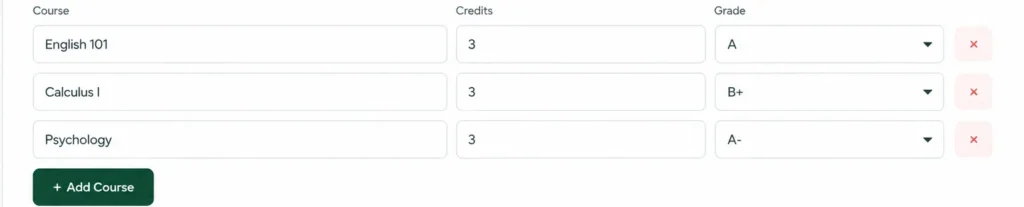
Enter your course grades and credit hours to estimate your GPA.
GPA scale
Independent educational estimate; not an official university or application-service calculation. Check institutional policies before using results.
How to Use the Raise GPA Calculator
Use the Raise GPA Calculator to explore how future grades and credit hours could affect your cumulative GPA. Enter your current GPA, completed credits, and target GPA to estimate the academic performance needed to reach your goal. This planning tool is useful when setting realistic semester targets, comparing possible outcomes, and understanding how additional coursework influences your overall academic record. Follow the steps below to begin your GPA improvement plan.
Step 1: Enter Your Course Details
Step 2: Add or Remove Courses
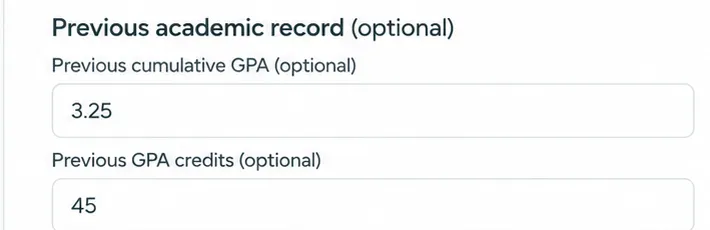
Step 3: Enter Your Previous Academic Record
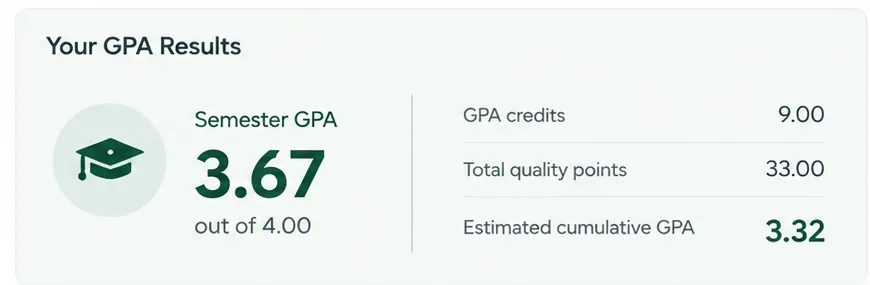
Step 4: Calculate Your GPA
Step 5: Reset the Calculator
How it works
Turn tough lectures into a smart study session
Share the brief now
Tell us your subject, assignment, deadline, and any instructions from your professor.
Matched to a writer
We match you with a subject specialist who works at exactly the right academic level.
Follow the progress
Message your writer, ask questions, and track the progress as your paper takes shape.
Review and receive!
Receive your completed paper, review it all, and request free revisions where needed.